Signing keys
Create a signing key for a Token exchange Resource before configuring merchant trust. AIGW uses this key to sign merchant-facing user assertions and JWT client authentication; the merchant authorization server verifies those signatures using the Resource's JWKS.
Create and verify a signing key
The Console wizard creates a signing key during Resource registration. With DevCLI (the aigw command-line tool) or the management API, create the key after registering the Resource.
Console
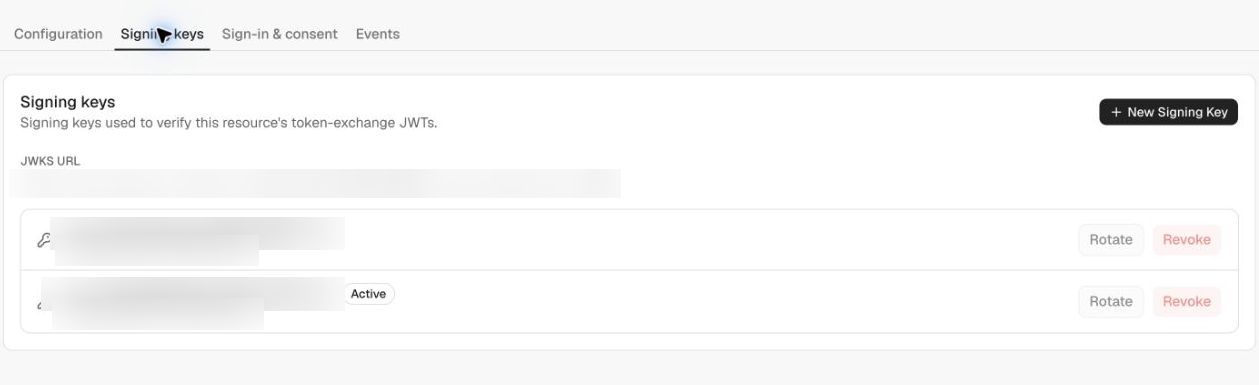
Open Resource → Signing keys and confirm that a key is listed as Active. If the registration wizard reports that key creation failed, select New Signing Key here.
DevCLI
After logging in, set your Project and Resource IDs and check for an existing key:
PROJECT_ID='your-project-id'
RESOURCE_ID='your-resource-id'

aigw resources signing-keys list \
  --project-id "$PROJECT_ID" --resource-id "$RESOURCE_ID"
If there is no key, create one, then list keys again:
aigw resources signing-keys create \
  --project-id "$PROJECT_ID" --resource-id "$RESOURCE_ID"

aigw resources signing-keys list \
  --project-id "$PROJECT_ID" --resource-id "$RESOURCE_ID"
Expected result: the key list contains the new key's kid and marks it active. Reuse an existing active key instead of creating another each time you run setup. Creation requires project:write; listing requires project:read.
Key format and JWKS
AIGW uses EC P-256 keys and ES256 signatures. Each key has a unique kid; treat it as an opaque identifier for selecting a verification key.
The Resource's public keys are published at:
https://api.aigw.loginid.ai/<RESOURCE_ID>/.well-known/jwks.json
Before giving this URL to the merchant IAM administrator, confirm that its keys array contains the active key's kid with kty: EC and crv: P-256. A Resource URL alone is not proof that a signing key has been created. Private signing keys are never returned by the Console, DevCLI, or JWKS endpoint.
Add a new signing key
Use Resource → Signing keys → New Signing Key, or the DevCLI signing-keys create command above. The new key becomes active for subsequent assertions; older public keys remain in JWKS so existing signatures can still be verified.
Merchant authorization servers should use the JWKS URL rather than pinning a single public key. Select keys by kid and refresh the keyset when encountering an unknown kid.
Two AIGW key sets
Resource signing keys verify merchant-facing assertions. They are separate from the core AIGW keys used for agent-facing tokens:
- Core issuer/JWKS verifies AIGW access tokens.
- Per-resource JWKS verifies the user and client assertions AIGW sends to the merchant authorization server.
See JWTs and JWKS for issuer and audience rules.