Agents
Agents are OAuth clients registered with AIGW, commonly through Dynamic Client Registration. Each Project tracks the agents that have asked for its Resources and the status each one currently has.
Lifecycle states
Project → Agents expands into four lists, each with a count:
| List | Meaning | Available action |
|---|---|---|
| Pending | Agents awaiting a decision. The authorization server refuses their requests until you approve or reject them. | Approve / Reject |
| Approved | Agents with approved grants for the Resources listed in their row; not blanket Project access. | Revoke |
| Rejected | Agents that were refused. | Reopen returns the agent to Pending for review |
| Revoked | Agents whose earlier approval was withdrawn. | Re-approve restores approval after confirmation |
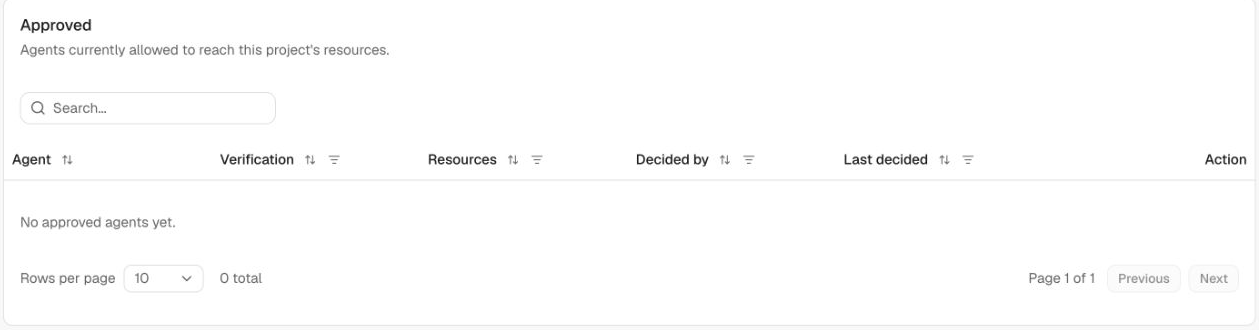
Each row shows the agent name and domain, its Verification status (for example Unverified), the Resources it asked for, Decided by (policy when the Agent policy decided automatically, otherwise the person who decided), and when it was last decided.
Use the Action column to decide an individual agent. To act on several agents, click Bulk edit, select the rows, then choose an action. In Pending, choose Approve or Reject from Actions. In the other lists, use Revoke, Reopen, or Re-approve. Click Cancel bulk edit to leave selection mode.
How agents get a status
An agent's first Resource grant is set by the effective Resource/Project Agent policy. An agent appears in Pending when a rule says Hold.
Without an Agent policy, every agent requesting access is approved automatically. To require review, configure Hold as the default decision and for each proof rule that should require review. Check Domain rules and Resource overrides too. User authorization and scope checks still apply.
A person's decision always overrides policy: approving, rejecting, or revoking an agent in the Console is never changed by later rule evaluations.
Why approval is separate from user consent
There are two different decisions:
- Project/operator policy: Is this agent allowed to use resources in this Project at all?
- End-user consent: Does this user allow the approved agent to access the requested scopes?
Both can matter. An agent can be technically registered but still blocked by project policy.
Operational guidance
When debugging authorization failures after a successful DCR request, check the Agent's status early, and check whether an Agent policy rule is holding or rejecting it. Revoke changes the relevant agent grants independently of a particular user's consent. Already-issued bearers and downstream sessions have their own lifecycles; use the appropriate token/grant cleanup when required.