Try it in the Playground
The AIGW Playground walks through the whole agent flow one request at a time and shows every exchange in full: URL, headers, payload, status code, and response. It's the quickest way to see what How AIGW works looks like on the wire before you write any code.
Open it: https://playground.aigw.loginid.ai/
What is real and what is mocked
The Playground plays the agent. The merchant side is simulated so you don't need a real MCP server or merchant API:
| Component | In the Playground |
|---|---|
| Agent | The Playground page itself |
| Resource MCP (the MCP/UCP service) | Mock — handled by the Playground's mock service routes |
| Resource API (the merchant backend) | Mock — handled by the Playground's mock service routes |
| AIGW discovery, DCR, authorization, token, Proxy token, and credential redemption | Real — calls go to AIGW |
Inspect AIGW errors in the request/response trace.
Before you start
You need a Token exchange Resource in AIGW. Open the Environment panel in the top-right corner to set:
| Field | Value | Needed for |
|---|---|---|
| AIGW authorization server | The Resource's Authorization server from its Reference screen, e.g. https://api.aigw.loginid.ai/<RESOURCE_ID>. Also editable on the first step. | All AIGW steps |
| Agent HTTPS callback | Leave blank — it defaults to <playground origin>/oauth/callback | DCR and Authorize |
| Resource indicator | The Resource's Resource indicator / audience | Redeem |
| Proxy client ID / secret (shown as Resource Auth client ID / secret) | A Proxy client from the same Project as the Resource | Proxy auth |
| Resource MCP URL | Leave the mock default | Probe |
Tick Remember to keep the authorization server for next time. Configuration locks once a run starts; press Reset to change it. Reset clears the trace, not the real OAuth client or grants created at AIGW. Use dedicated test credentials and do not share trace screenshots containing secrets or identity data.
Run the flow
Use Run step to send the current step, then Next → to move on. The diagram on the right highlights which parties are talking.
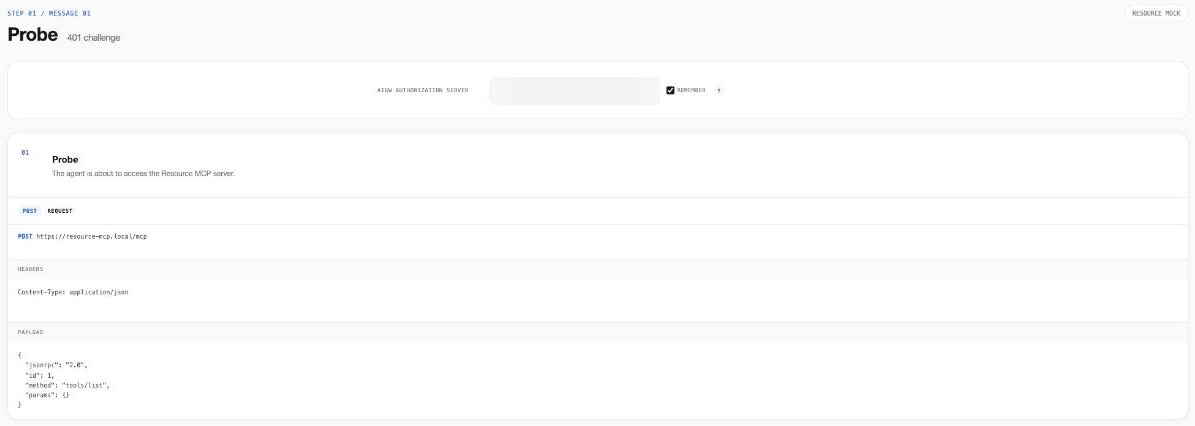
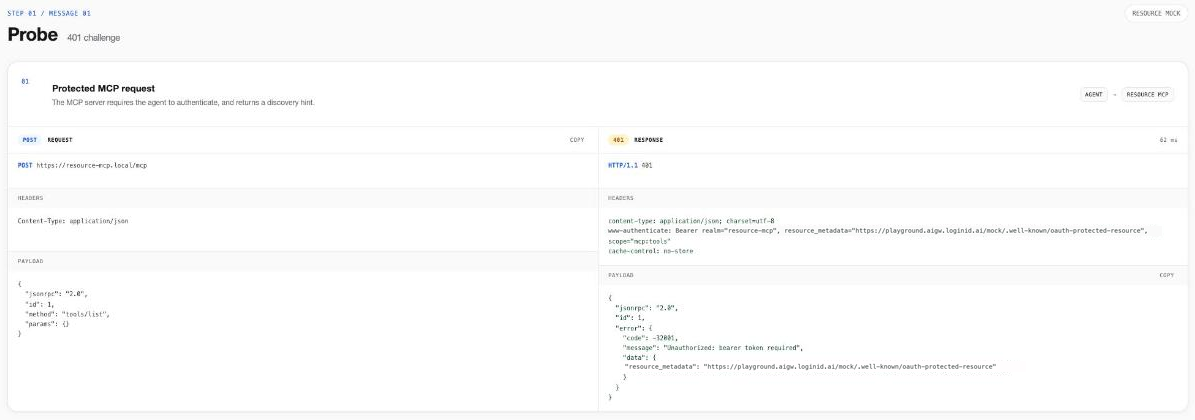
1. Probe — 401 challenge
The agent calls the MCP server with no token. The mock MCP server answers 401 with a WWW-Authenticate header whose resource_metadata points to its Protected Resource Metadata.
2. Discover — Protected Resource Metadata
The agent fetches /.well-known/oauth-protected-resource (RFC 9728). The authorization_servers entry is the per-resource AIGW authorization server you configured.
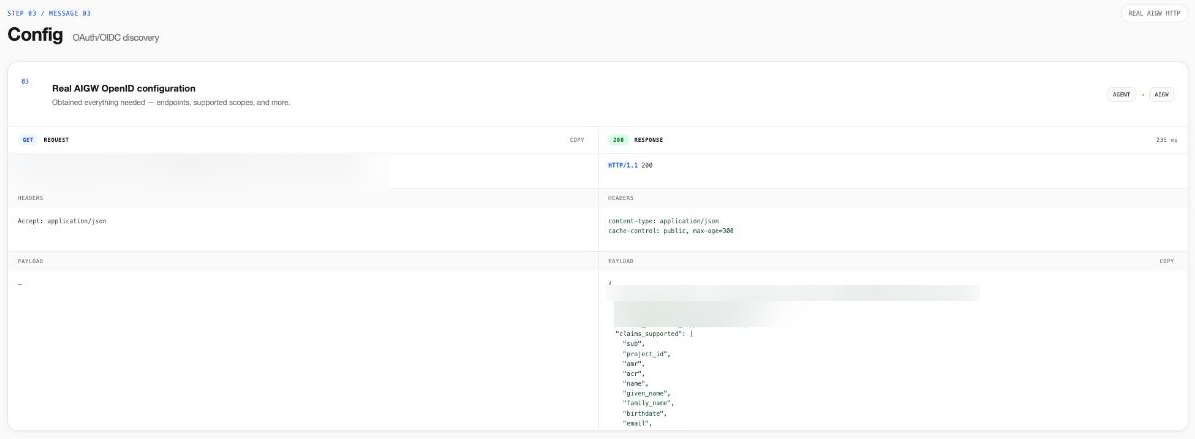
3. Config — OAuth/OIDC discovery
The agent fetches the real /.well-known/openid-configuration from AIGW. It learns the per-resource authorization endpoint, the core token endpoint, the registration endpoint, and the supported scopes, which include the Resource's own scopes.
4. Dynamic Client Registration
The agent registers itself at POST /api/register. No one had to set it up in advance. AIGW returns 201 with a new client_id and client_secret, plus the redirect domain and its strongest accepted verification method. Verification depends on the accepted domain evidence; a missing Web Bot Auth signature alone does not imply an unverified domain. This step creates a persistent OAuth client.
The registration request omits scope. AIGW filters registration scopes to the set allowed for dynamic clients. Request Resource scopes at authorization, in the next step.
5. Authorize — real login and PKCE
Pick which discovered scopes to request, then press Continue to AIGW login. The Playground builds an Authorization Code + PKCE (S256) request to the per-resource authorization endpoint and navigates the browser there.
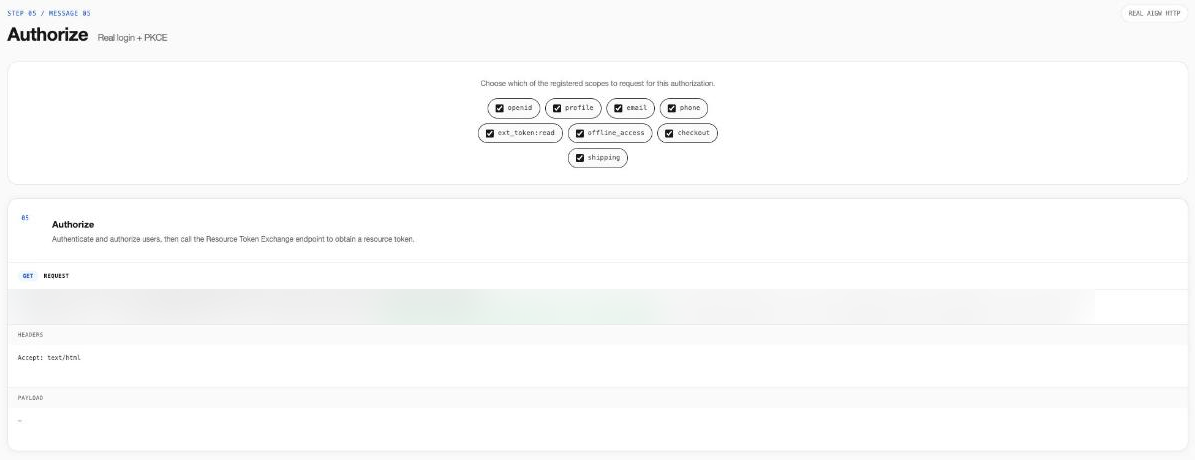
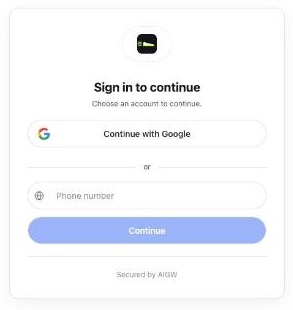
You sign in on the real AIGW page, using whichever identity providers the Resource allows, and approve the consent screen. AIGW then redirects back to the Playground callback with an authorization code.
Back in the Playground, the Authorize step shows the 302 redirect and the returned code and state.
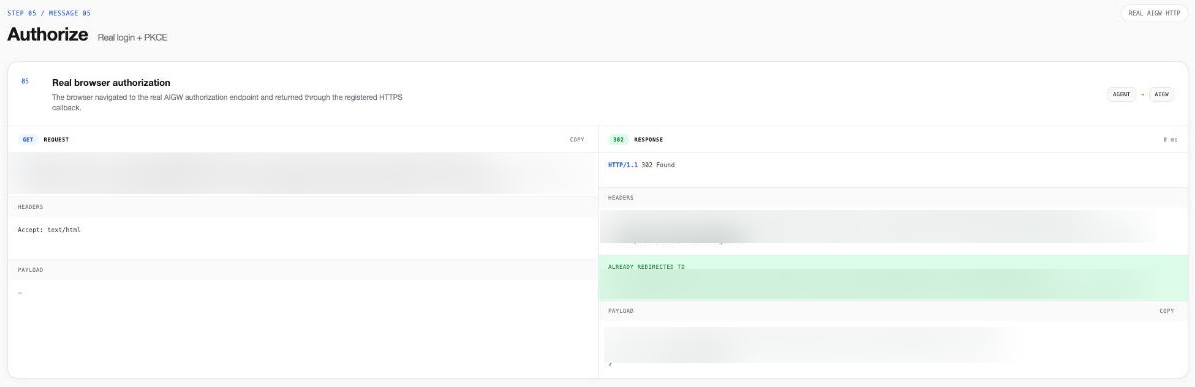
If authorization is refused right after DCR, the agent may be Pending or Rejected under the Project's Agent policy.
6. Token — real AIGW response
The agent exchanges the code, plus its client_secret and PKCE code_verifier, at the core token endpoint. The response is the unmodified AIGW result. access_token is required for the next calls; ID/refresh tokens and claims depend on the requested/granted scopes and server policy. The Playground can decode JWT-formatted tokens; decoding does not verify signature, issuer, audience, or expiry. Request ext_token:read for redemption. If the access token is a JWT, inspect:
| Claim | Example | Meaning |
|---|---|---|
iss | https://core.api.aigw.loginid.ai/ | Issued by the core AIGW authorization server |
aud | the Resource indicator | The Resource this token is for |
sub | sub_… | Opaque, per-project user subject |
ext.acr | e.g. …:al2 | Authentication context class defined by the identity provider; see the Glossary for provider-specific assurance meanings |
ext.amr | ["mfa", "kba"] | How the user authenticated |
ext.agent / ext.act | client ID, domain, name, verifications | Which agent is acting on the user's behalf |
ext.project_id | Project ID | The Project the token belongs to |
The ID token carries the identity claims the user consented to, such as name, email, and address. Treat it as personal data.
7. Proxy auth — client credentials
Now the Playground plays the MCP server. It authenticates to AIGW with the Proxy client ID and secret (grant_type=client_credentials) and receives a Proxy token.
8. Redeem — merchant access token
The MCP server calls POST /api/credentials/token with the user's AIGW access token as Authorization: Bearer, the Proxy token as X-Proxy-Token, and {"resource": "<Resource indicator>"}. AIGW returns the merchant access token it obtained from the merchant's authorization server during login, with expires_at and the granted scopes. Decode it and you'll see a token issued by the merchant's authorization server (Keycloak in the default Playground Resource), not by AIGW. See Credential redemption.
9. Resource call
The MCP server calls the mock Resource API with the merchant access token. The flow is complete.
Troubleshooting the Playground
| Symptom | Likely cause |
|---|---|
| DCR fails with an HTTPS error | The Playground was opened over HTTP. Real AIGW DCR only accepts HTTPS redirect URIs. |
| Authorize is refused | The agent is held or rejected by Agent policy. |
Proxy auth returns 401 | Wrong Proxy client ID/secret, or the Proxy client was revoked. |
| Redeem fails | The Proxy client is from a different Project than the Resource, the Resource indicator doesn't match exactly, or no merchant access token was stored because the Resource's merchant authorization server rejected AIGW's assertion. See Troubleshooting. |
Continue with your own service
After the Playground flow succeeds, follow the MCP/UCP Quickstart to publish your own metadata and authorization challenge, validate the AIGW access token, retrieve the merchant access token, and call your real API. Register your agent's own HTTPS callback when replacing the Playground agent.
Confirm the result
A complete run returns an AIGW access token at Token, a Proxy token at Proxy auth, a merchant access token at Redeem, and a successful mock response at Resource call. The mock API response does not verify your real merchant API's authorization rules.
Use the executed request/response trace to debug failures. Request Resource scopes from real AIGW discovery; the mock metadata can use different example scopes.