Accept an AIGW-authorized request
After OAuth completes, the agent retries the MCP/UCP operation with an AIGW access token.
POST /mcp HTTP/1.1
Host: mcp.example.com
Authorization: Bearer <AIGW_ACCESS_TOKEN>
Content-Type: application/json
At this point the agent is authenticated/authorized to AIGW. Your MCP/UCP service still needs a merchant access token before it calls the downstream merchant API.
What is in scope for the MCP/UCP service
Your server should preserve three pieces of context:
- the received AIGW access token;
- which merchant/resource this MCP tool operation maps to;
- the operation/scopes required for the downstream call.
The resource mapping is important because AIGW's credential endpoint takes a resource value and resolves it within the same project as the AIGW access token and proxy token.
Core-issued AIGW access token vs per-resource signed assertions
AIGW uses two issuer/key contexts:
- Agent access tokens are issued by the global/core AIGW authorization server and validated against the core issuer/JWKS.
- JWTs AIGW signs toward the merchant authorization server use the per-resource issuer and per-resource ES256 JWKS.
Do not validate the agent's bearer token with the per-resource, merchant-facing JWKS. Use the core AIGW issuer and JWKS.
Authorization and agent approval
Each agent gets a status in Project → Agents (Pending, Approved, Rejected, Revoked). The first status comes from the Project's Agent policy; with no rules configured, the system default approves every agent. If a rule says Hold, the agent waits under Pending, and the authorization server refuses its requests until someone approves or rejects it.
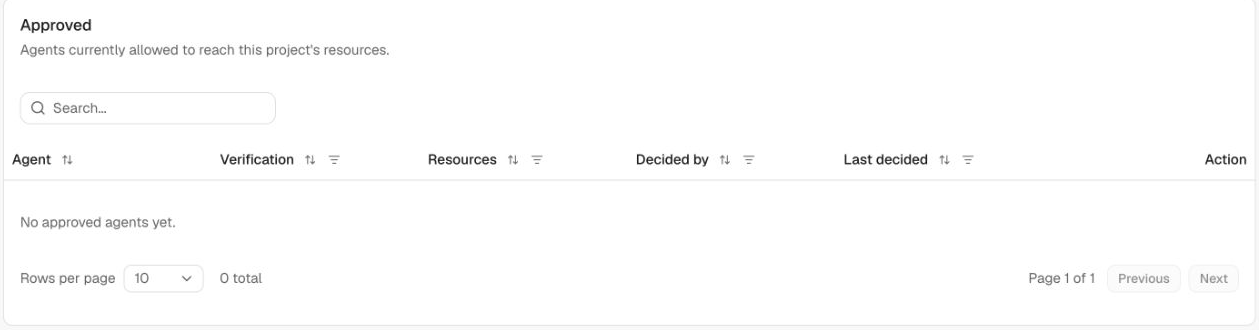
These grants are Resource-specific, organized within the Project and decided by its effective Resource/project policy. Approval for one Resource does not authorize every Resource in that Project. This approval is an operator policy control. It is separate from the end user's OAuth consent.
User sign-in and consent
The authorization browser flow presents the configured identity-provider sign-in page and then the resource consent experience. After consent, the agent exchanges the returned authorization code and retries the request with its access token.
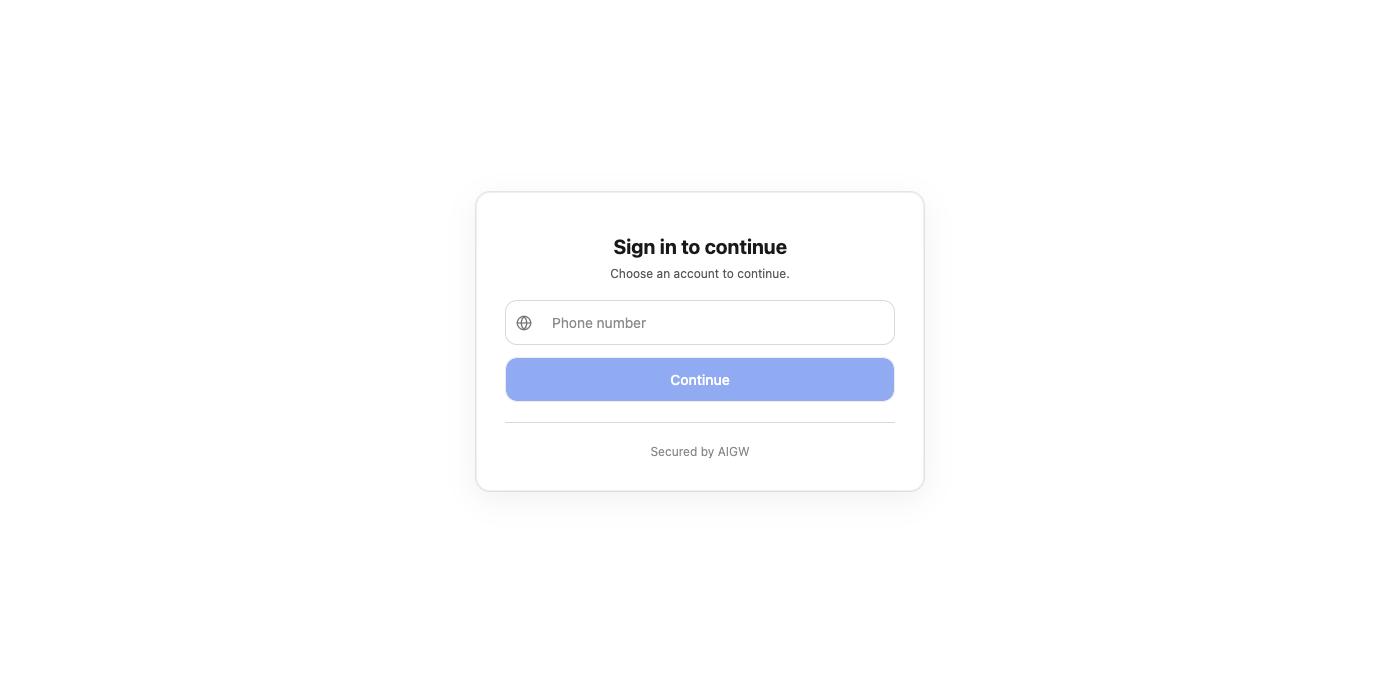
Once the agent returns with an AIGW access token, continue to Get a merchant access token.
Validate before forwarding
Validate the bearer against the core issuer/JWKS, expected Resource audience, expiry, and the scopes required for the tool operation. Do not accept an ID token in its place. Merchant-token redemption additionally requires ext_token:read and the same Project/login binding described in Get a merchant access token.
Example: validate a JWT access token in Node.js
Use Node.js 22 or later. Install jose, then save the example as aigw-auth.mjs or download the module:
npm install jose@6
import {createRemoteJWKSet, jwtVerify} from 'jose';

const issuer = process.env.AIGW_EXPECTED_ISSUER;
const audience = process.env.AIGW_RESOURCE_INDICATOR;
const jwksUri = process.env.AIGW_JWKS_URI;
if (!issuer || !audience || !jwksUri) throw new Error('Missing AIGW configuration');
const keys = createRemoteJWKSet(new URL(jwksUri));

export function accessTokenScopes(payload) {
  let list;
  let text;
  if (payload.scp !== undefined) {
    if (!Array.isArray(payload.scp) ||
        !payload.scp.every(value => typeof value === 'string' && /^[\x21\x23-\x5B\x5D-\x7E]+$/.test(value))) {
      throw new Error('Invalid scp claim');
    }
    list = new Set(payload.scp);
  }
  if (payload.scope !== undefined) {
    if (typeof payload.scope !== 'string' ||
        (payload.scope !== '' && !/^[\x21\x23-\x5B\x5D-\x7E]+(?: [\x21\x23-\x5B\x5D-\x7E]+)*$/.test(payload.scope))) {
      throw new Error('Invalid scope claim');
    }
    text = new Set(payload.scope === '' ? [] : payload.scope.split(' '));
  }
  if (list && text && (list.size !== text.size || [...list].some(scope => !text.has(scope)))) {
    throw new Error('Conflicting scope claims');
  }
  return list ?? text ?? new Set();
}

export async function verifyAigwAccessToken(authorization, requiredScopes) {
  const match = /^Bearer ([^\s]+)$/i.exec(authorization ?? '');
  if (!match) throw new Error('Missing bearer token');
  const {payload} = await jwtVerify(match[1], keys, {
    issuer,
    audience,
    algorithms: ['RS256'],
    requiredClaims: ['exp', 'sub'],
  });
  const granted = accessTokenScopes(payload);
  if (!requiredScopes.every(scope => granted.has(scope))) {
    throw new Error('Insufficient scope');
  }
  return payload;
}
Set AIGW_EXPECTED_ISSUER and AIGW_JWKS_URI from trusted Resource discovery metadata (issuer and jwks_uri); set AIGW_RESOURCE_INDICATOR to your agreed protected-resource identifier. Read configuration at startup, never from the unverified token. Call verifyAigwAccessToken(request.headers.authorization, ['search:read', 'ext_token:read']) before redemption for this example operation.
Scopes can be an scp array or a space-delimited scope string. When both are present, their sets must agree. Malformed claims and missing required scopes are rejected.
This example accepts JWT access tokens with the configured issuer, audience, algorithm, expiry, and scopes. If your deployment issues opaque tokens, use its supported server-side validation method instead. Handle missing/invalid tokens with the OAuth challenge; return insufficient-scope errors according to your MCP framework. Do not catch a validation error and continue to the merchant call.
Verify your implementation: a valid access token with the required scopes passes; an expired token, wrong issuer/audience, invalid signature, or missing required scope fails. An ID token is not accepted as the MCP bearer.