Request authorization
Use OAuth Authorization Code with PKCE S256 against the per-resource AIGW authorization endpoint.
Create PKCE and state
Generate:
- high-entropy
code_verifier; code_challenge = BASE64URL(SHA256(code_verifier));- random
statetied to the current transaction; - an OIDC
noncetied to the ID token returned for this transaction.
Store the verifier, state, nonce, exact issuer from trusted discovery, and Resource indicator until the callback completes. Use new values for each authorization attempt.
For a Node.js agent, generate transaction values with:
import {randomBytes, createHash} from 'node:crypto';

const codeVerifier = randomBytes(32).toString('base64url');
const transaction = {
  codeVerifier,
  codeChallenge: createHash('sha256').update(codeVerifier).digest('base64url'),
  state: randomBytes(32).toString('base64url'),
  nonce: randomBytes(32).toString('base64url'),
};
// Save transaction in your server-side session for this browser authorization.
// Use codeChallenge, state, and nonce in the authorization URL below.
Keep these values in the current transaction's session, not a single global variable shared by users. On callback, compare state, consume the transaction once, and use its original verifier for code exchange.
Build the authorization URL
GET https://api.aigw.loginid.ai/<RESOURCE_ID>/oauth2/auth
    ?response_type=code
    &client_id=<AGENT_CLIENT_ID>
    &redirect_uri=https://agent.example.com/callback
    &resource=https%3A%2F%2Fmcp.example.com%2Fmcp
    &scope=openid%20ext_token%3Aread%20search%3Aread
    &state=<STATE>
    &nonce=<NONCE>
    &code_challenge=<CODE_CHALLENGE>
    &code_challenge_method=S256
Include ext_token:read when your MCP/UCP backend will redeem a merchant access token, plus only the Resource scopes needed by the operation. Request merchant scopes during Resource authorization; DCR does not grant merchant access. The requested permissions are subject to the Resource policy and user consent.
Open this URL in the user's browser and keep the authorization flow in that browser. Starting in a server-side cookie jar and finishing in a different browser can fail the authorization server's CSRF checks. Do not replace the Resource authorization endpoint with the global endpoint in the DCR response.
Send the same resource value in the authorization request and code exchange, as required by MCP authorization. It must match Protected Resource Metadata and the configured AIGW Resource indicator.
User experience
The authorization request opens a browser flow controlled by AIGW:
- the user authenticates with an identity provider enabled on the Resource;
- AIGW presents the consent request and configured scope descriptions;
- the user approves or denies;
- on approval, AIGW redirects to the agent's registered callback with an authorization code and state.
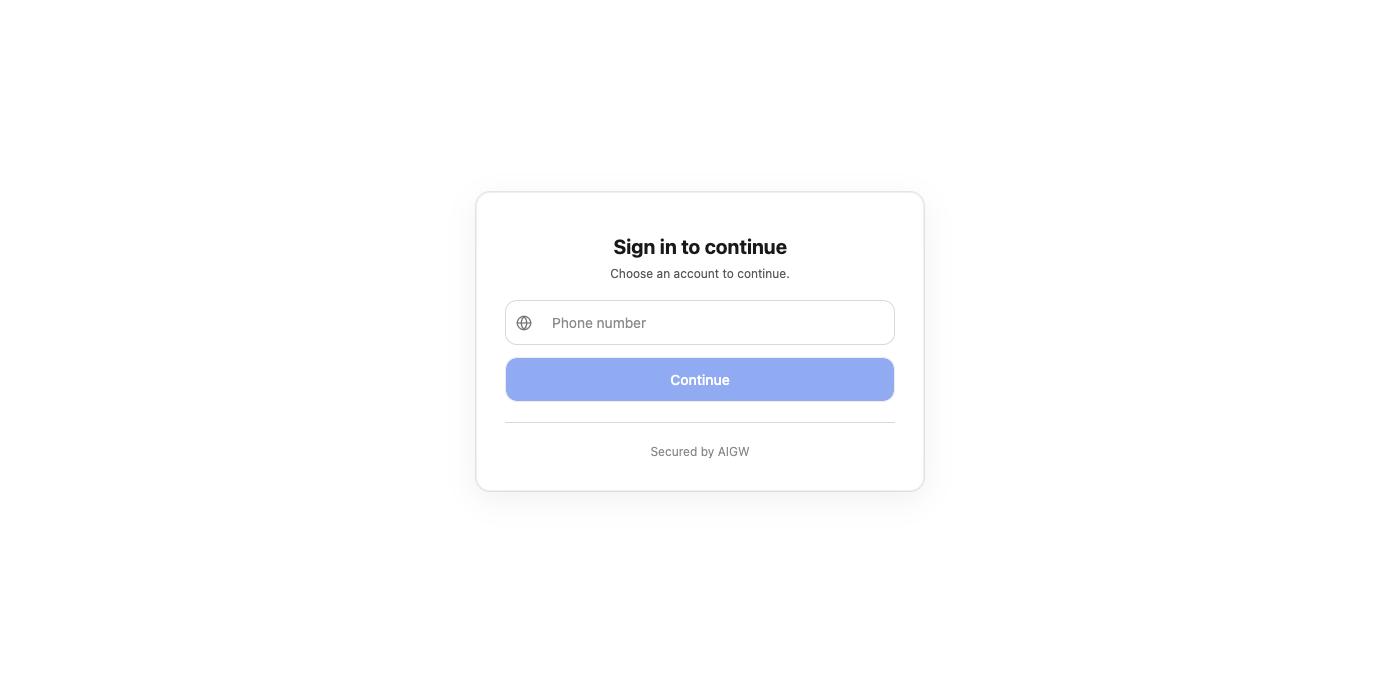
The Resource operator can customize the sign-in and consent appearance/text in AIGW.
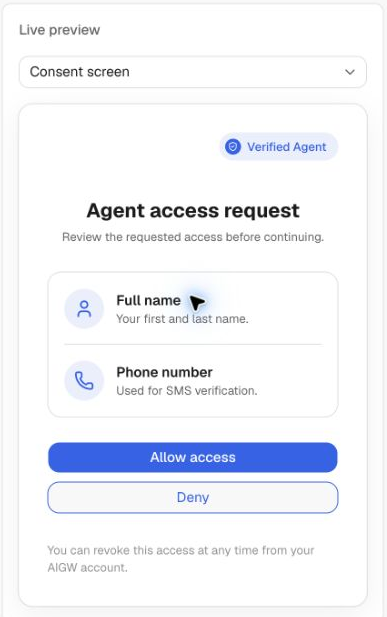
Approval can still block the flow
User consent is not the same as project-level agent approval. A pending/rejected/revoked agent can be denied even if its OAuth request is otherwise well formed. Whether a new agent is approved automatically or held depends on the Project's Agent policy.
Continue to Handle the callback.